


What to Do When the Hyundai Slip Indicator Light Comes On
The slip indicator light, also known as the traction control light, is an essential safety feature in modern Hyundai vehicles. When this light illuminates on your dashboard, it indicates a potential issue with the stability and traction control system. Ignoring the slip indicator light can compromise your Hyundai's handling and stability, increasing the risk of accidents. In this article, we will explore the meaning of the slip indicator light, common causes for its activation, and the appropriate steps to address the issue, ensuring safe driving and optimal performance of your Hyundai.
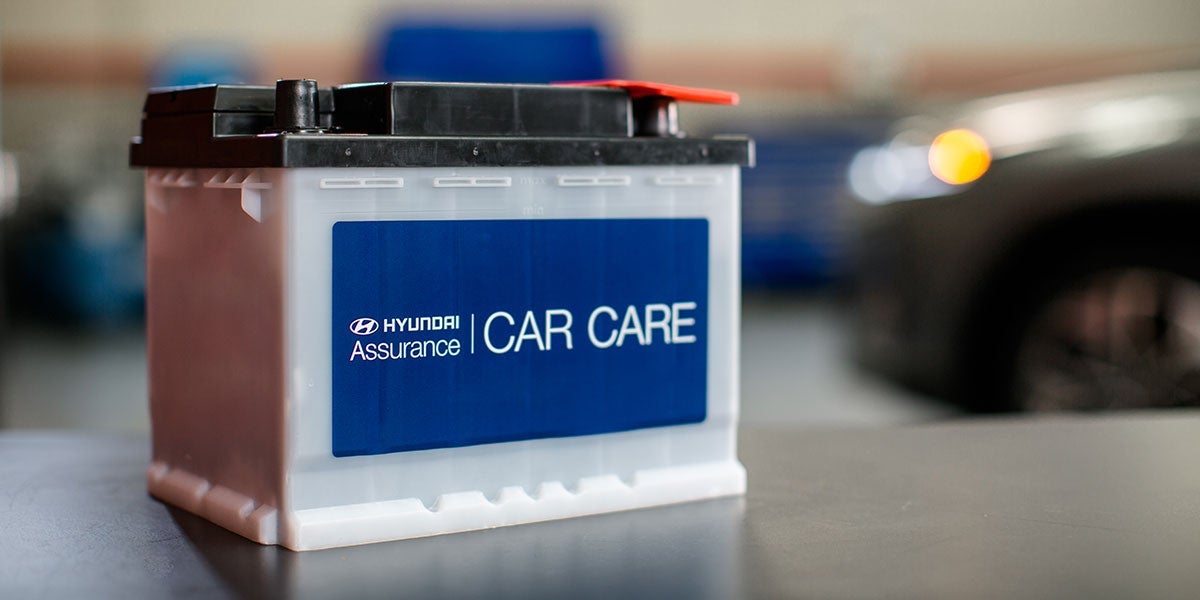
Before replacing a car battery, it is crucial to take necessary safety precautions:
- Ensure the engine is turned off, and the ignition key is removed.
- Wear protective gloves and eye goggles to protect against battery acid and potential sparks.
- Avoid smoking or open flames in the vicinity of the battery.
- Gather the Necessary Tools and Materials
Before starting the battery replacement process, gather the following tools and materials:
- New battery: Ensure you purchase the correct battery size and specifications for your Hyundai model.
- Adjustable wrench or battery terminal wrench.
- Battery cleaning brush or wire brush.
- Battery terminal protectant spray.
- Safety goggles and gloves.
Locate the Battery:
The battery in a Hyundai car is typically located in the engine compartment. Open the hood and secure it in the open position using the hood support rod. Locate the battery, which is usually situated on one side of the engine bay. It is enclosed in a plastic or metal battery tray.
Disconnect the Negative Terminal:
Start by disconnecting the negative terminal (marked with a "-" symbol) from the battery. Using an adjustable wrench or a battery terminal wrench, loosen the nut on the negative terminal clamp. Carefully remove the negative cable from the terminal, ensuring it does not come into contact with any metal surfaces.
Disconnect the Positive Terminal:
Next, disconnect the positive terminal (marked with a "+" symbol) in the same manner as the negative terminal. Loosen the nut on the positive terminal clamp and remove the positive cable from the terminal.
Remove the Old Battery:
Inspect the battery tray and holder to identify any securing bolts or clamps. Loosen or remove these fasteners, if present, to release the battery. Carefully lift the old battery out of the battery tray, ensuring it doesn't tip over or spill any acid.
Clean the Battery Tray and Terminals:
With the old battery removed, inspect the battery tray and terminals for any corrosion or dirt buildup. Use a battery cleaning brush or wire brush to gently clean the tray and terminals. Make sure to remove any corrosion on the terminal clamps and posts.
Install the New Battery:
Place the new battery into the battery tray, ensuring it is oriented correctly with the positive and negative terminals aligned. Take care not to tip the battery or allow it to touch any metal surfaces. Secure the battery in place using any clamps or fasteners provided.
Connect the Positive Terminal:
Begin the installation of the new battery by connecting the positive terminal first. Slide the positive terminal clamp over the positive battery post and tighten the nut using the wrench. Ensure the connection is secure but avoid over-tightening, as it may damage the terminal.
Connect the Negative Terminal:
Next, connect the negative terminal by sliding the negative clamp over the negative battery post. Tighten the nut securely using the wrench.
Apply Terminal Protectant:
To protect the battery terminals from corrosion, apply a thin layer of terminal protectant spray to the exposed metal surfaces of the battery terminals.
| Monday | 9:00AM - 7:00PM |
| Tuesday | 9:00AM - 7:00PM |
| Wednesday | 9:00AM - 7:00PM |
| Thursday | 9:00AM - 7:00PM |
| Friday | 9:00AM - 7:00PM |
| Saturday | 9:00AM - 7:00PM |
| Sunday | 10:00AM - 6:00PM |
| Monday | 7:30AM - 5:30PM |
| Tuesday | 7:30AM - 5:30PM |
| Wednesday | 7:30AM - 5:30PM |
| Thursday | 7:30AM - 5:30PM |
| Friday | 7:30AM - 5:30PM |
| Saturday | Closed |
| Sunday | Closed |
| Monday | 7:30AM - 5:30PM |
| Tuesday | 7:30AM - 5:30PM |
| Wednesday | 7:30AM - 5:30PM |
| Thursday | 7:30AM - 5:30PM |
| Friday | 7:30AM - 5:30PM |
| Saturday | Closed |
| Sunday | Closed |
Make an Inquiry
Visalia Hyundai
Address
220 South Ben Maddox Way
Visalia, CA 93292
Phone
- Sales 559-733-3325
- Service 559-733-3325
- Parts 559-733-3325
| Monday | 9:00AM - 7:00PM |
| Tuesday | 9:00AM - 7:00PM |
| Wednesday | 9:00AM - 7:00PM |
| Thursday | 9:00AM - 7:00PM |
| Friday | 9:00AM - 7:00PM |
| Saturday | 9:00AM - 7:00PM |
| Sunday | 10:00AM - 6:00PM |
| Monday | 7:30AM - 5:30PM |
| Tuesday | 7:30AM - 5:30PM |
| Wednesday | 7:30AM - 5:30PM |
| Thursday | 7:30AM - 5:30PM |
| Friday | 7:30AM - 5:30PM |
| Saturday | Closed |
| Sunday | Closed |
| Monday | 7:30AM - 5:30PM |
| Tuesday | 7:30AM - 5:30PM |
| Wednesday | 7:30AM - 5:30PM |
| Thursday | 7:30AM - 5:30PM |
| Friday | 7:30AM - 5:30PM |
| Saturday | Closed |
| Sunday | Closed |

Vehicle is subject to prior sale and the Dealer has made every effort to assure the accuracy of the vehicle. Prices do not include government fees and taxes, any finance charge, any dealer document processing charge, any electronic filing charge and any emission charge.